S.01 / INTERNAL

A custom web application for the process a spreadsheet holds up today.

A custom web application is a browser-based tool built for one specific process your team runs. I build the screen, the record and the report that replace the shared spreadsheet, the email thread and the one person who knows everything.

From a manual process to an internal applicationSpreadsheets, email threads, copy-paste and one person’s knowledge are replaced by an internal application with a single record, a workflow and a report.01SPREADSHEETS02EMAIL THREADS03COPY-PASTE04ONE PERSONINTERNAL APPONE RECORDWORKFLOWREPORTFrom a manual process to an internal applicationSpreadsheets, email threads, copy-paste and one person’s knowledge are replaced by an internal application with a single record, a workflow and a report.SPREADSHEETSEMAIL THREADSCOPY-PASTEONE PERSONINTERNAL APPONE RECORDWORKFLOWREPORT

02 / PROBLEM

The process works. It’s just done by hand.

The best internal applications don’t need to be huge. They need to fix exactly the bottleneck.

In almost every company there’s an important process held together by a spreadsheet, a shared inbox and someone’s memory. It works until that person goes on holiday, the file gets corrupted or the volume doubles.

The temptation is to look for a platform that does everything. It’s almost never the answer. What changes the daily routine is usually a small tool, built for that specific step, that stores the data once and puts it in front of whoever needs it.

03 / SIGNALS

Symptoms of a process that needs its own tool.

Each one costs little on its own. Together they add up to hours every week and mistakes nobody sees until it’s too late.

  1. 01A shared spreadsheet has become the company’s system.
  2. 02Important information travels by email and gets lost in threads.
  3. 03People copy and paste between tools several times a day.
  4. 04There’s a process only one person knows.
  5. 05Reports are put together by hand every week.
  6. 06The same piece of data lives in three places and none of them match.
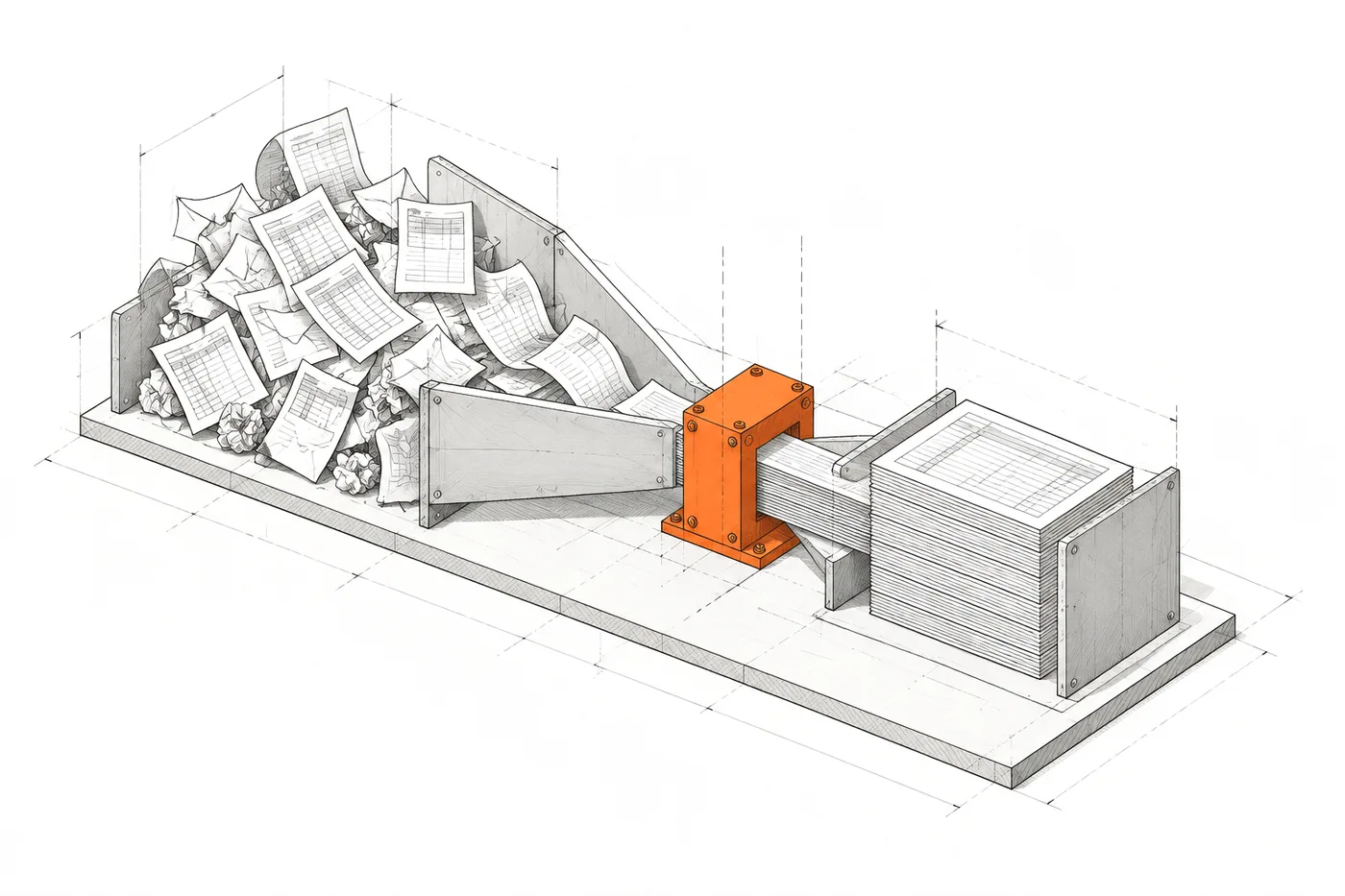
FIG. 03A small piece, right at the bottleneck
Axonometric drawing of a messy pile of spreadsheets and emails narrowing into a funnel; a small orange piece placed at the narrowest point turns the flow into a neat stack of records

04 / FIT

When a custom web application makes sense.

When you can point at the bottleneck.

Building makes sense if…

  • There’s a specific bottleneck you can point to: a step, a sheet, a person.
  • The process is specific to your company and no product on the market handles it without workarounds.
  • The spreadsheet holding it up already has formulas nobody dares to touch.
  • Several people need to work on the same data at once, with different permissions.

05 / WHAT I BUILD

Internal application examples: what I’d build for your team.

Back offices, daily work screens, approval workflows and reports. Small, well-made pieces, each already in use in a real tool.

  • 01

    One record for every piece of data

    A structured database instead of versions of a spreadsheet: each piece of data is entered once and everyone sees the same one.

    EvidenceRocio.com

  • 02

    Screens for daily work

    Tables with filters, side panels and bulk actions designed for the ten things the team does every day.

  • 03

    Your own admin panels

    A back office to run content or operations without depending on a technician or on a tool built for something else.

    EvidenceRocio.com

  • 04

    History and accountability

    Who changed what and when. A snapshot before every save so you can roll back without drama.

    EvidenceRocio.com

  • 05

    Reports that are already done

    The report someone used to prepare on Monday is generated automatically, with the actions that need attention first.

    EvidenceAtalayaIQ

  • 06

    Approval workflows with permissions

    Who proposes, who approves and what the system checks before accepting anything. Each person sees and changes only what they should.

    EvidenceRocio.com · Zentia

06 / ARCHITECTURE

From bottleneck to tool, in five pieces.

The application starts at the step that hurts and only grows where it proves necessary.

FIG. 06Bottleneck → record → screen → control → output
  1. 01 — BOTTLENECK

    The bottleneck

    The exact step where time is lost or mistakes are made.

    • EXCEL
    • EMAIL
    • COPY-PASTE
  2. 02 — RECORD

    One record

    The data in a structured database, validated on entry.

    • DATABASE
  3. 03 — SCREEN

    One screen

    The view the team uses to deal with that step.

    • TABLES
    • FORMS
    • BULK
  4. 04 — CONTROL

    Control

    Who can see, change or approve, and what was logged.

    • ROLES
    • HISTORY
  5. 05 — OUTPUT

    Output

    What used to be prepared by hand, already prepared.

    • REPORT
    • CSV
    • ALERT

07 / EVIDENCE

Internal tools in use.

A report for management and an editorial panel for one person who approves everything.

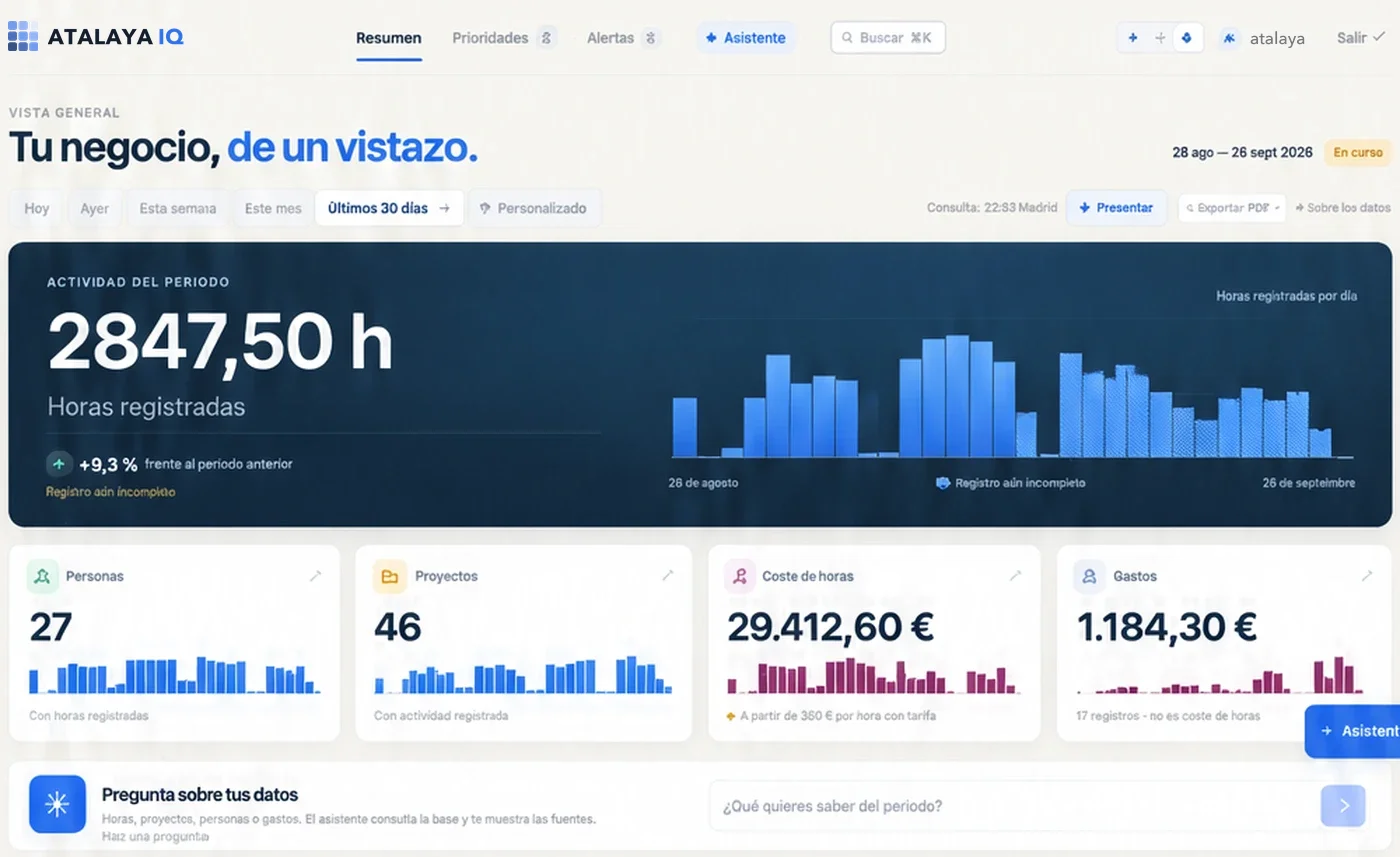
AtalayaIQ overview: hours logged over the last 30 days with their daily series, people, projects, labour cost and expenses.
Overview · last 30 days

Business intelligence

AtalayaIQ

The report management needed every day, generated from the real data instead of assembled by hand.

  • A “three lines” summary and at most 15 prioritised actions, with no filler.
  • Alerts with detail, a recommended action and paginated evidence.
  • Authenticated access with an encrypted session.

STACK Nuxt / Vue / MySQL

Case study: AtalayaIQ
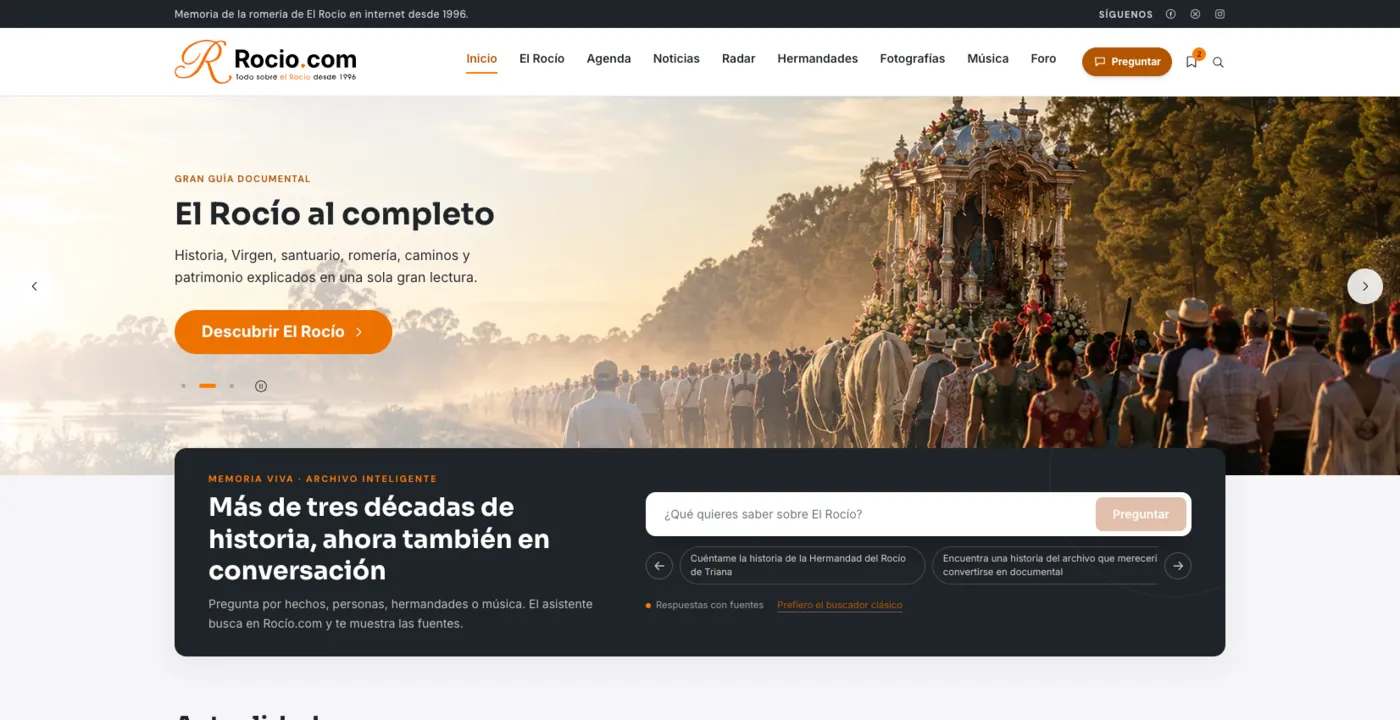
Rocio.com home page: the «El Rocío al completo» guide and a conversational search over more than three decades of archive.
Home page and conversational archive · rocio.com

Editorial platform

Rocio.com

A custom editorial panel that makes a huge archive manageable when one person approves everything that gets published.

  • A panel for all dynamic content, migrated and new.
  • Revision history: a snapshot before every save.
  • News, events, brotherhoods and archive managed from one place.

STACK Nuxt / Vue / MySQL

Case study: Rocio.com

08 / DON'T BUILD

When you don’t need a custom web application.

Sometimes the best internal tool is a well-configured one you already pay for.

Better not to build if…

  • A product on the market already does it and the problem is that nobody configured it properly.
  • The process changes every month and hasn’t settled yet: a spreadsheet is more flexible in the meantime.
  • Only one person uses it a few times a year.
  • What’s being asked for is “an app for everything”: without a specific bottleneck, the scope never ends.
  • Nobody will be able to maintain it or has time to decide how it should work.

09 / QUESTIONS

Questions about custom web applications.

01

What is a custom web application?

A tool that runs in the browser, built for a specific process in your company instead of adapted from a generic product. When your team uses it rather than your customers, it’s an internal application: a management panel, a back office, an internal CRM, an approval workflow or an automated report, with authenticated access and running on your data.

02

How is it different from a mobile app?

A web application isn’t installed: it opens in the browser on a computer, tablet or phone, and updates for everyone at once. For internal tools it’s usually the best option; a native app only pays off if people need to work offline for hours or use device features the browser doesn’t offer.

03

Why not stay on Excel?

Excel is excellent for thinking and poor for operating across several people: it has no fine-grained permissions, doesn’t validate input, keeps no useful history and breaks with one badly copied formula. When a spreadsheet holds up a critical process, it’s already a system, just without a system’s safeguards.

04

What about no-code or low-code tools?

They’re a good option for prototypes and simple processes. They make sense while the process fits their building blocks; once you have your own rules, volume or delicate integrations, they tend to become another workaround.

05

How big should a first version be?

The minimum that removes the bottleneck. The best internal applications often don’t need to be large: one table, one record view and one action done well already change the daily routine. The rest is added when it proves necessary.

06

Can it connect to the ERP or CRM we already use?

Yes, if they offer a way in: an API, a database or exports. Often the internal application is exactly the missing piece between two tools that already work.

Custom software and integrations

10 / SAME SYSTEM

Related systems.

A business problem rarely lives in a single piece. These usually appear in the same project.

All systems

Which spreadsheet is holding your company up?

Tell me the process, who does it, where it gets stuck and what would happen if that person weren’t there tomorrow. That’s enough to know what tool you need.