A video wall shouldn’t just be a pretty video on a loop
What a video wall is, LED or LCD, rental or purchase, and what video wall software does. At an event, the screen can become a live layer of data and experience.
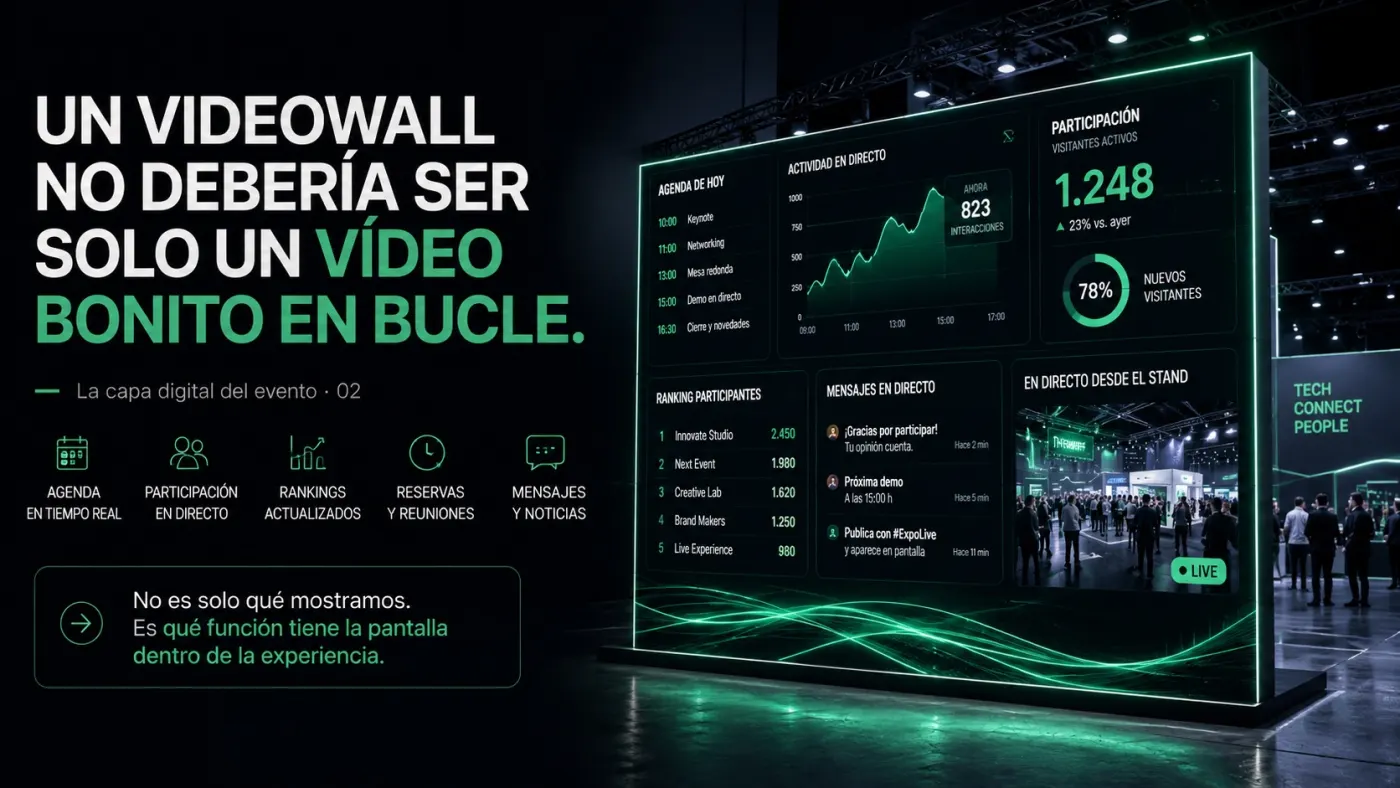
A video wall is a large-format display made of several screens or LED modules working as a single image. At trade shows, stands and brand spaces it usually ends up showing a looping video. But what decides its value isn’t the hardware: it’s the content and the software behind it. If it shows what’s happening, the video wall stops being decoration and starts working for the event.
There’s something curious about many events: some of the biggest screens on the stand are also the least used.
They take up metres, they can be seen from afar, they consume budget, production, audiovisual content, build-up and visual attention. And yet they often end up working as a pretty backdrop: a looping video, a brand animation, a powerful but passive visual piece.
I’m not saying that’s wrong.
Good audiovisual content can lift a space. It can give presence, reinforce identity, create atmosphere and make a stand recognisable from the aisle. At some events that’s already enough.
But a giant screen can do much more.
It can tell people what’s happening on the stand right now. It can show the agenda, meetings, participation, data, rankings, registered emotions, live messages, featured content or information that changes with the time of day.
It can be a live layer of the event.
What a video wall is (and why the screen matters least)
Technically, a video wall is an image surface built by joining several screens, or LED modules, that a controller treats as one. There are two common families:
- LED video wall. Frameless modules that join without visible seams. Very bright and very large: the usual choice for pavilions, stages and overhead screens.
- LCD panel video wall. Several screens with a very thin bezel between them. Sharper up close, and the joins between panels are a little more visible.
At events, the video wall is usually rented: an AV company installs it for the show and takes it down afterwards. That part is well covered by the market. What’s almost never covered is what goes on it.
When the screen stops being decoration
That’s where the conversation changes.
Because we’re no longer talking about a screen as a simple decorative support. We’re talking about a screen as a public interface. As a piece of the system. As a way of making visible what usually stays hidden: activity, interaction, participation or the pulse of the space.
At a trade show, that’s very valuable.
A stand isn’t static. It changes constantly. There are moments of heavy traffic, waiting times, presentations, meetings, institutional visits, activities, content worth highlighting and messages that may change through the day.
If the screen is connected to that reality, it stops being a backdrop and starts working for the event.
It can guide visitors. It can amplify an activity. It can show that something is happening. It can organise the content. It can give visibility to participating companies. It can reinforce the end client’s story. It can turn scattered data into an image people understand.
And, above all, it can make the space feel alive.
The opposite mistake: turning the video wall into an unreadable dashboard
The key isn’t to fill the screen with information. In fact, that’s usually another mistake: turning a video wall into an analytics tool nobody can read.
A giant screen shouldn’t try to look like an internal metrics panel. It has a different job. It has to be clear, visual, immediate and understandable in a few seconds.
Visitors won’t stop to read a table. But they can take in a figure, a trend, an activity or an idea if it’s well represented.
That’s why, when a video wall is planned for an event, the question shouldn’t only be:
What video shall we put on?
The interesting question is:
What role does this screen play in the experience?
It can be impact. It can be information. It can be participation. It can be storytelling. It can be data visualisation. It can be guidance. It can be recognition for attendees. It can be the link between the physical and the digital.
But it should have a role.
Video wall software: a live screen needs a different logic
When it has no clear role, the screen just takes up visual space. When it has one, it becomes part of the event’s design.
That affects the technology too.
A looping screen can be handled with an exported file played back. A live screen needs a different logic: dynamic content, a backend, a management panel, integration with forms, APIs, booking systems, participation data or internal tools.
It doesn’t always need to be complicated, but you do need to know what you want to achieve.
Technology shouldn’t impose itself on the concept. It should serve it.
There are projects where a looping video is enough. But if the goal is for the stand to convey activity, interaction or intelligence, maybe the screen should be connected to something more than a video file.
In practice, video wall software does four things:
- Manage the content: what’s shown at each time of day, with a panel stand staff can use without technicians.
- Connect real-time data: meetings, occupancy, participation or whatever other pieces of the stand record.
- Enable interaction: what visitors do on their phone or a tablet shows up on the big screen. That’s what makes a video wall interactive.
- Keep running if something fails: local fallback content if the venue network drops.
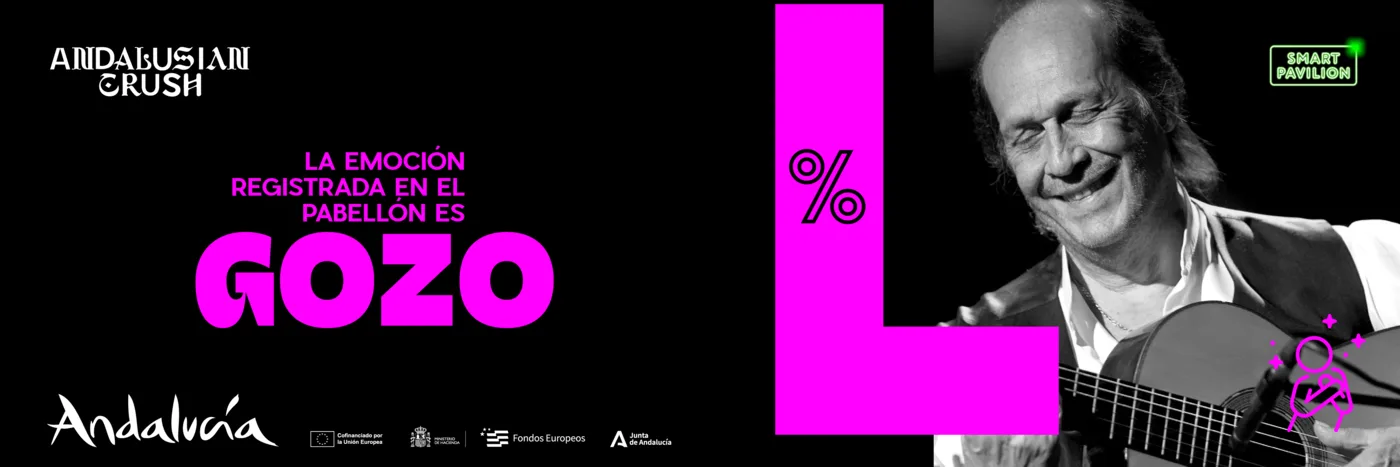
In the Andalusia pavilion at FITUR 2024, part of the Event Tech case study, the overhead screens and 4K video walls showed dynamic content, data and the emotion registered in the pavilion with its percentage, changing with what was happening inside.
The question isn’t whether the screen grabs attention
At events, attention is limited. A big screen can capture it.
The question is what it does with it.
It can entertain for a few seconds. Or it can tell people that the event is happening now.
That difference, small as it may seem, completely changes the value of the screen.
A video wall isn’t measured by its square metres, but by what it tells people while the event is happening.
Video wall FAQ
What is an interactive video wall?
One whose content responds to what visitors do: votes, registrations, meetings or messages sent from a phone or a tablet that appear on the big screen. The interaction comes from the software, not the screen.
LED or LCD video wall?
For large formats, overhead screens or lots of ambient light, LED. For close viewing with high definition at a moderate size, LCD panels. The AV company installing it usually recommends the hardware for the space; the content should be designed for that specific screen.
Video wall rental or purchase?
For a trade show or a one-off event, rental is the norm. Buying pays off in permanent spaces, such as a showroom or a visitor centre. Either way, the content and the software can be reused.
What software does a video wall need to show live data?
A panel to manage the content, a connection to the data sources (bookings, registrations, participation) and a visual template designed to be read in a few seconds and from a distance. Plus a fallback mode in case the network drops.
If you’re preparing a stand, your FITUR 2027 stand: plan the digital side now has the timeline I recommend. Digital experiences covers the systems I build for screens and spaces, and if you’re an agency, technology partner for agencies explains how I work with agencies.